



Billboard marketplace for India
Find and book billboards across India.
Search outdoor ad sites by city, compare size, traffic score and monthly price on a map, and request the ones you want from the owners who run them.
Browsing is open to everyone. No account needed.
What are you here to do?
Advertisers and brands
Find billboards
Search by city, compare prices and sizes, and request the sites you want.
Explore billboardsAgencies and media buyers
Plan a campaign
Send us your cities, dates and budget, and the HarBoardPe team will come back with options across owners.
Billboard owners
List your billboards
Put your boards where advertisers search, and run bookings and operations from one dashboard.
List your billboardHow it works
From search to a live campaign
Online booking opens at launch. Until then you can browse every listing and send a request for any billboard, and the HarBoardPe team will follow up.
- 01
Discover
Search billboards by city, type and monthly price, on a list or a map, or find what is near you.
- 02
Compare
Each listing shows photos, size, lighting, facing direction, traffic score, reviews and price.
- 03
Request
Pick your dates against the availability calendar and send a request. The owner approves.
- 04
Go live
Pay the advance through Razorpay, upload your creative and get it approved.
- 05
Track
Follow bookings, invoices and proof of posting from your advertiser dashboard.
For advertisers and brands
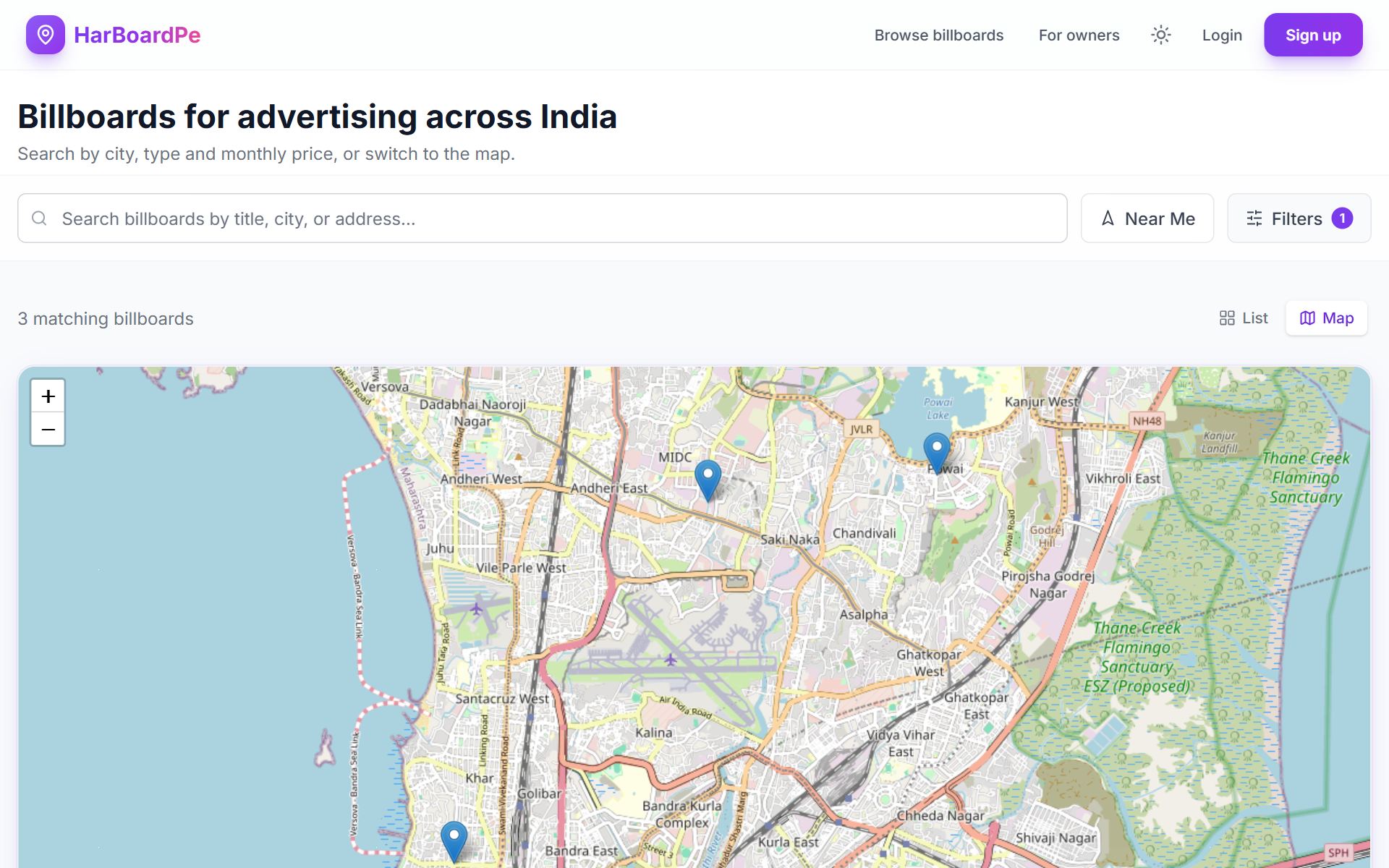
Search the way you plan: by city, format and budget
- Filter by what mattersCity, format (static, LED, digital, flex) and monthly price, or billboards near you.
- See every site on a mapSwitch to the map and the pins follow your filters, down to street level.
- Share a searchFilters live in the link, so a shortlist is one URL you can send to a colleague.
Know the price and the dates before you get in touch
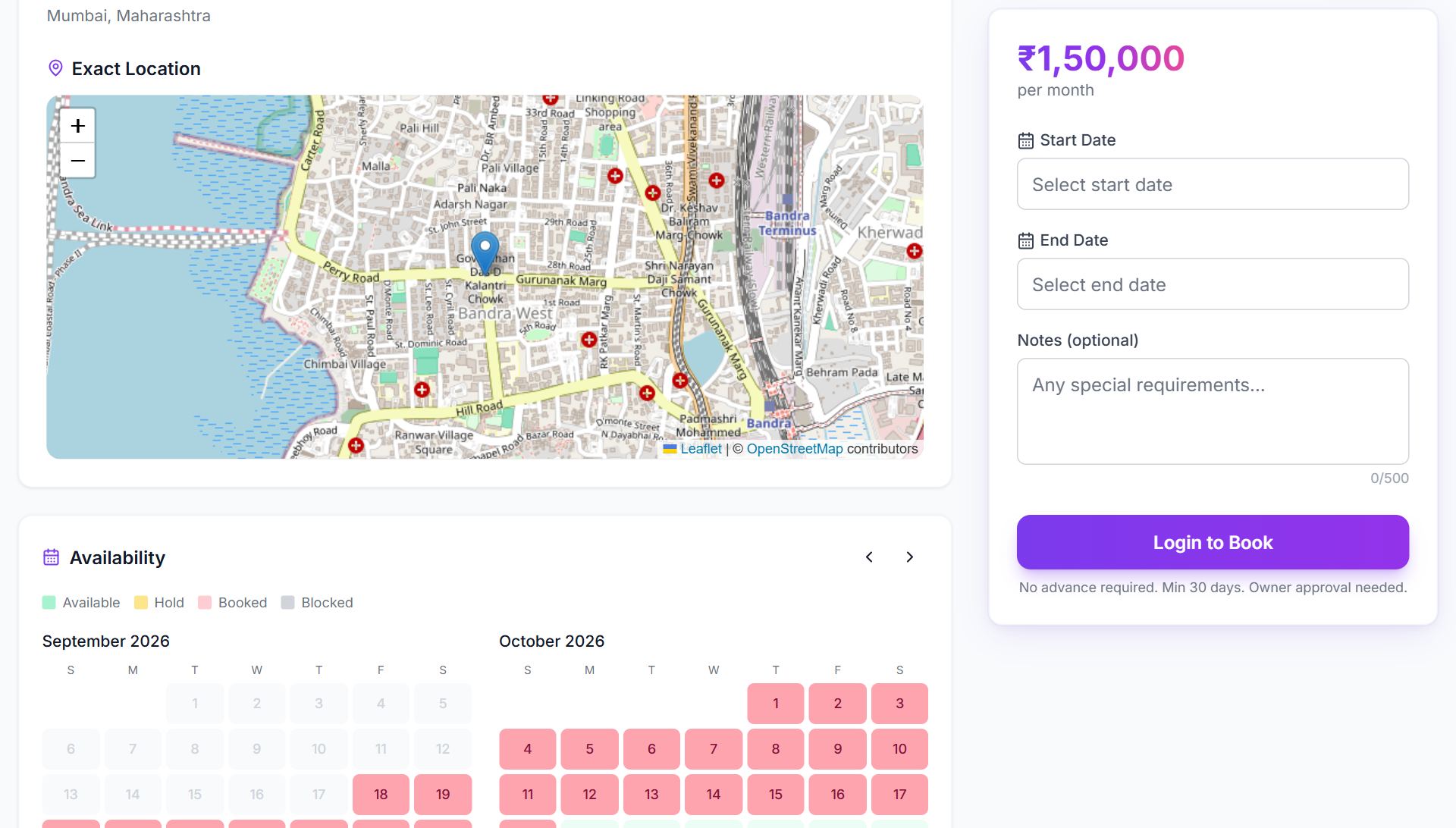
- Price up frontEvery listing shows its monthly price, advance terms and minimum booking length.
- Availability calendarBooked and blocked dates are marked, so you only ask for dates that are free.
- Exact locationA street-level map pin, plus size, lighting, facing direction and traffic score.
- One place from request to invoiceOwner approval, Razorpay advance, creative upload and approval, and GST invoices.
For agencies and media buyers
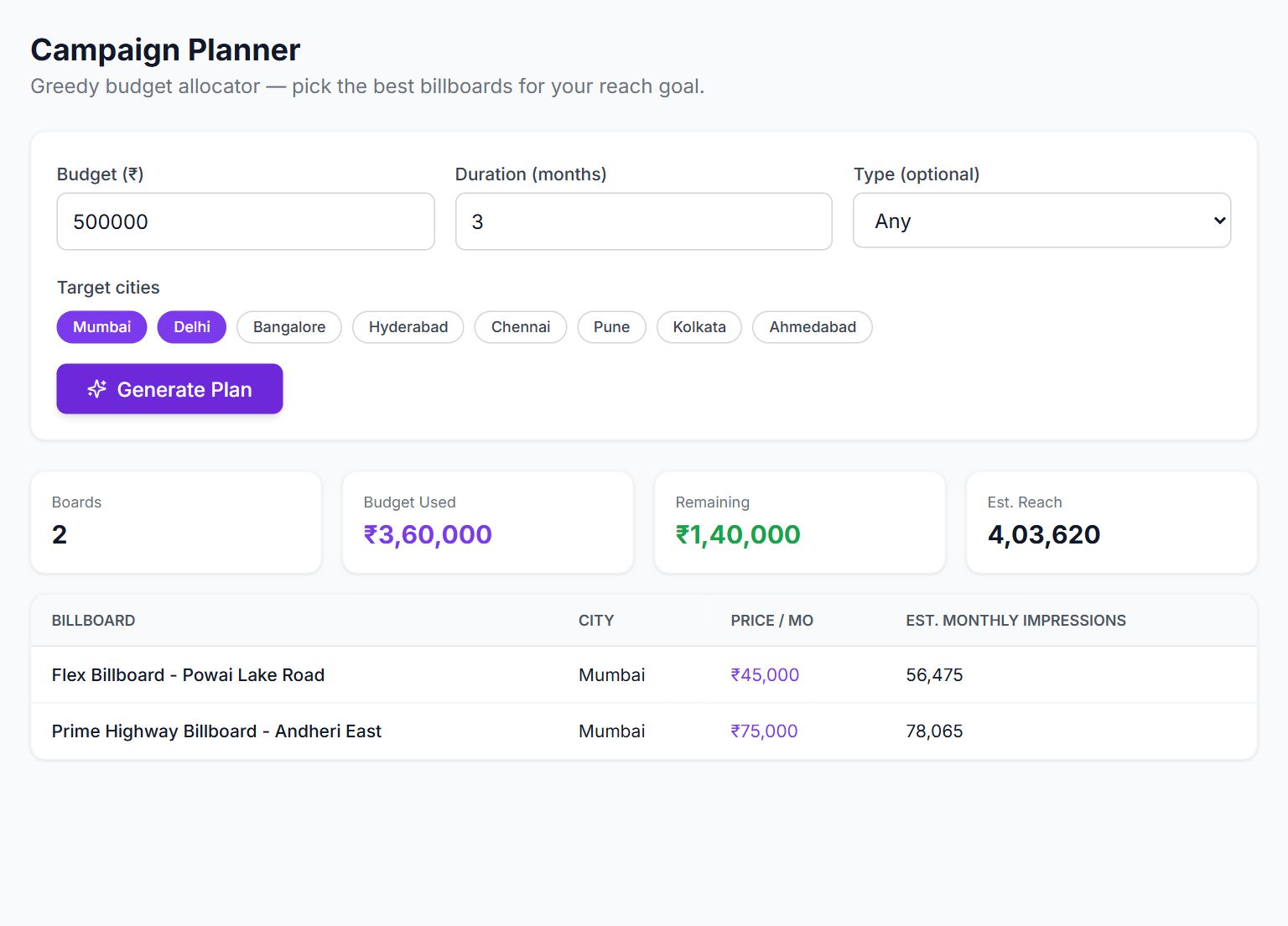
Plan across cities and owners in one place
Agencies work from an advertiser account, with team workspaces for client work.
- Start from a budgetEnter a budget, duration and target cities. The campaign planner picks billboards that fit and estimates monthly impressions.
- Build a shortlistSave favourite billboards and searches, and come back to them before you request.
- Work as a teamCreate an organisation workspace and invite colleagues as admins, managers or members.
For billboard owners
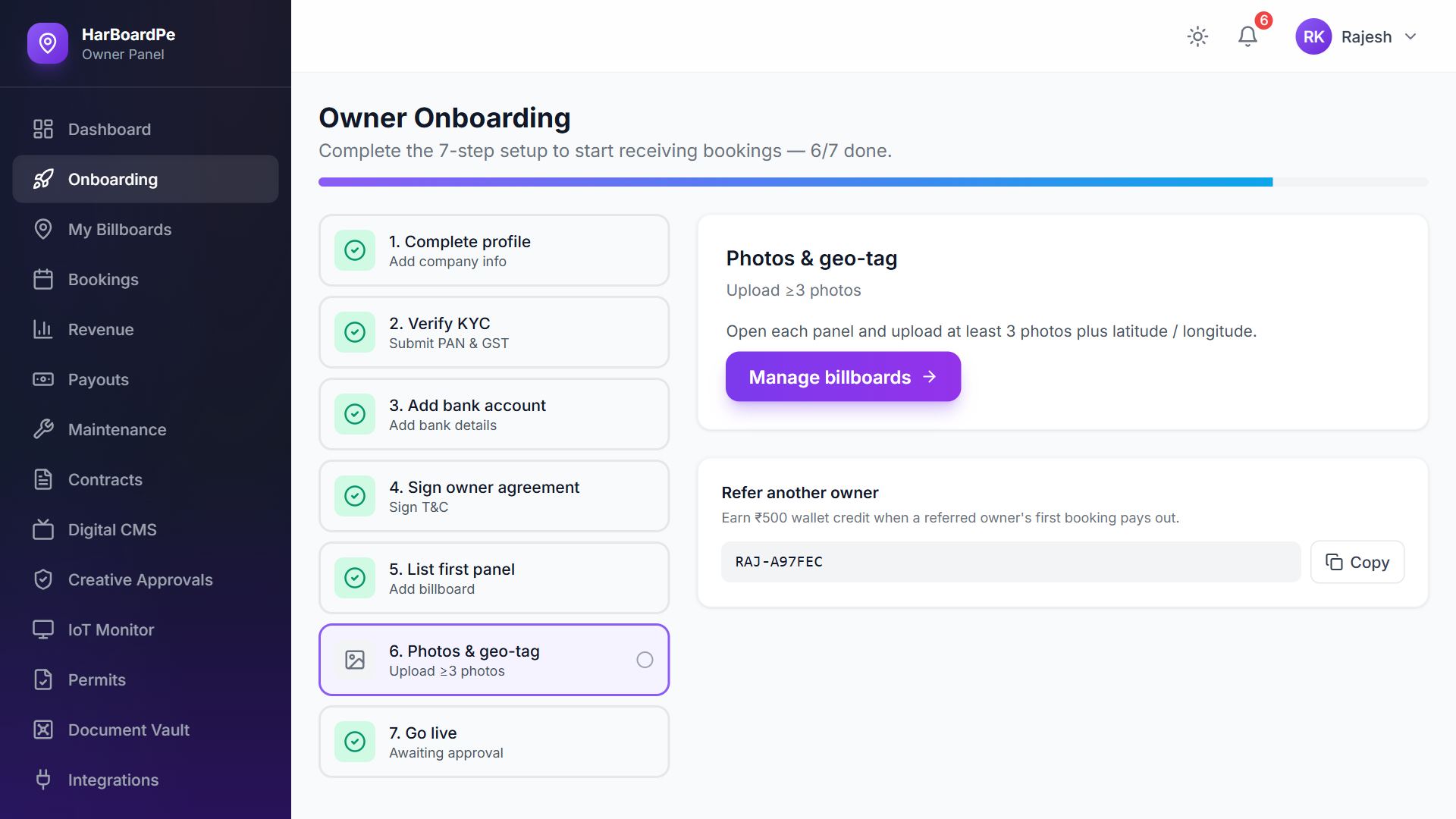
Get your boards in front of advertisers, and run the business behind them
The marketplace and your back office are one system, so the availability advertisers see is the same calendar you manage.
- Guided setupA seven-step onboarding covers your profile, KYC, bank details, agreement and first listing.
- List and get requestsAdd boards with photos, size, price and a map pin, one by one or from a CSV file, then approve or decline booking requests.
- Run operationsRevenue, commission and payouts per board, plus maintenance, permits, contracts and proof of posting.
How the marketplace works
One system between the people who buy outdoor media and the people who own it
Advertisers and agencies
- Search and shortlist
- Request dates and pay the advance
- Upload creative
- Track bookings and invoices
HarBoardPe
Marketplace and workflow in one place
- 1. Discover
- 2. Compare
- 3. Plan
- 4. Book
- 5. Manage
- 6. Measure
Listings are reviewed before they go live, and payments run through Razorpay with GST invoices. Measurement today means estimated reach and proof of posting.
Billboard owners
- List boards and set prices
- Approve or decline requests
- Track revenue and payouts
- Upload proof of posting
Before you commit
What you can check on HarBoardPe
- Listings are reviewed by the HarBoardPe team before they appear on the marketplace.
- Listings show photos, size, lighting, facing direction and location.
- The monthly price is on the listing, before you get in touch.
- Booked dates are visible on an availability calendar.
- The owner approves every booking, and payments go through Razorpay with GST invoices.
FAQ
Questions people ask first
Is HarBoardPe live?
Do I need an account to browse?
How is the price worked out?
What happens after I send a request?
Can I plan a campaign across several cities?
Who checks the listings?
How do I list my billboards?
Talk to us
Questions about advertising, listing your boards or working with us? Send a message and the team will reply.